
Product & Category Management
Build your catalog once and use it everywhere. Products you add in Chlat POS appear on the cashier screen, in inventory and on your public menu automatically.

Iced Latte
$2.50
2
Matcha
$2.75

Croissant
$1.80
1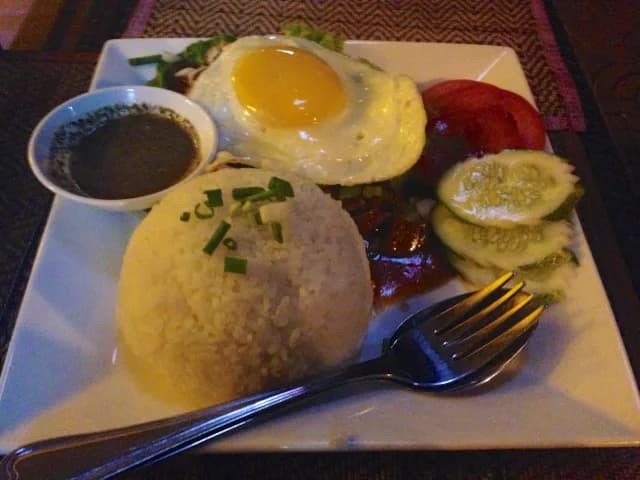
Lok Lak
$4.50
1
Fried Rice
$3.25

Lime Soda
$1.50
Order #1042
- 2× Iced Latte$5.00
- 1× Lok Lak$4.50
- 1× Croissant$1.80
≈ ៛46,330
Highlights
Rich products
Name, SKU, category, images, description, cost price and selling price in one place.
Clear categories
Group items by category or department so cashiers and customers find them fast.
Margin visibility
Cost and selling prices side-by-side let you see profit on every item.
What’s included
Everything in Product & Category Management works together with the rest of Chlat POS — no add-ons or extra apps.
- Add, edit and archive products
- SKU and barcode support
- Product images and descriptions
- Cost price and selling price
- Categories and departments
- Variants for retail workflows
- Availability toggle per product
Product & Category Management: common questions
Can I import my existing product list?
Our team can help you bring your existing product list into Chlat POS during onboarding.
Related features
- POS Sales & CheckoutA cashier screen that keeps queues short. Tap, adjust, discount, pay — done.
- ABA PayWay Auto PaymentDynamic KHQR per order. Payment confirmed automatically. Money lands in your ABA account.
- Inventory ManagementStock that updates itself with every sale, plus alerts before you run out.
Ready to sell faster and get paid automatically?
Book a free demo and we will set up Chlat POS with your products and ABA PayWay account.